
How HeCai Computer Customizes OEM Gaming Monitors and LCD Monitors
From A to Z, learn how HeCai Computer customizes OEM monitors with branded logos, firmware, labels, packaging, accessories and quality control.
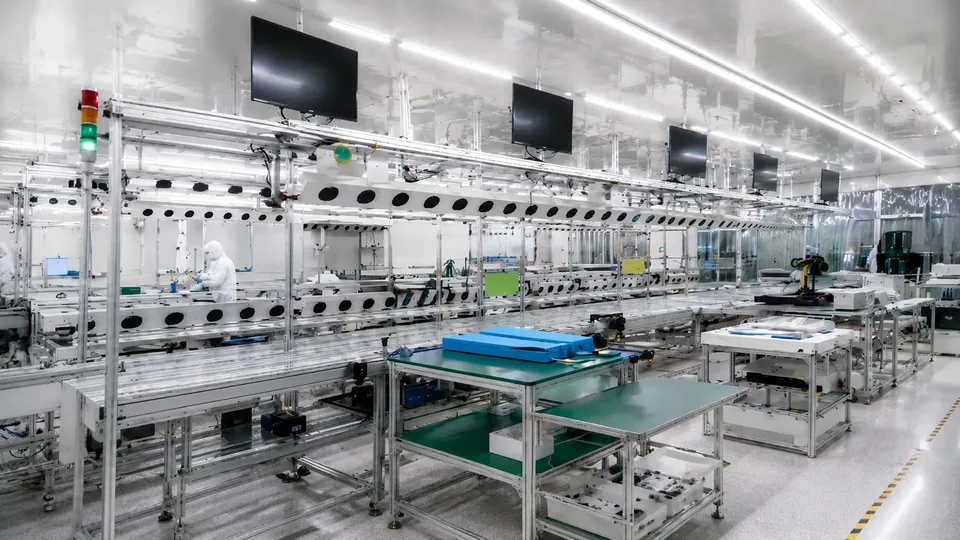
OEM and private label guide
Build an OEM monitor around one approved specification—from hardware and firmware to logos, labels, packaging and regional accessories.
Begin with the target market and sales channel
Planning the project
Tell us the destination market, user, screen size, performance target, quantity, price range and delivery window. These choices determine the panel, controller board, ports, firmware, power system and packaging.
We organize the brief into three parts: technical platform, brand presentation and destination-market requirements. Confirming them early reduces sample revisions and keeps quotation, artwork and production aligned.
What can be customized
Scope
Start with an established platform for faster private labeling, or review hardware and mechanical changes for larger projects. Scope depends on component availability, validation, tooling and order volume.
Product configuration
Screen size, flat or curved format, panel type, resolution, refresh rate, response-time target, brightness class, ports, speakers, stand and VESA mounting.
Brand identity
Front bezel logo, rear-cover logo, startup logo, OSD presentation, product color accents and model naming.
Commercial materials
Rating label, serial-number label, barcode, user manual, warranty card, color box, shipping marks and pallet labels.
Market-specific contents
Power cord and plug, adapter, HDMI or DisplayPort cable, language set and the compliance information required for the destination market.
Logos, firmware, labels, packaging and accessories normally do not require a new mold. New housings or stands need separate tooling and quantity review.
Logo customization across the product
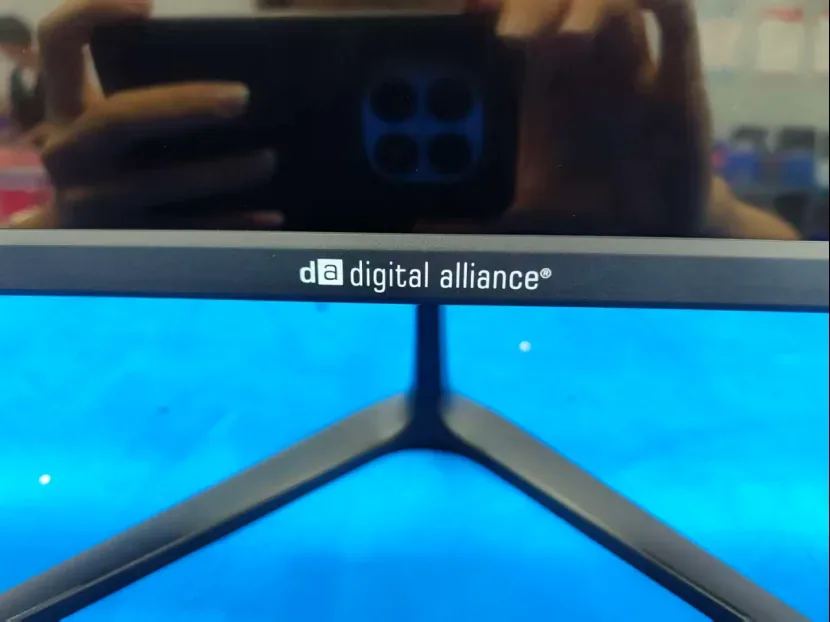
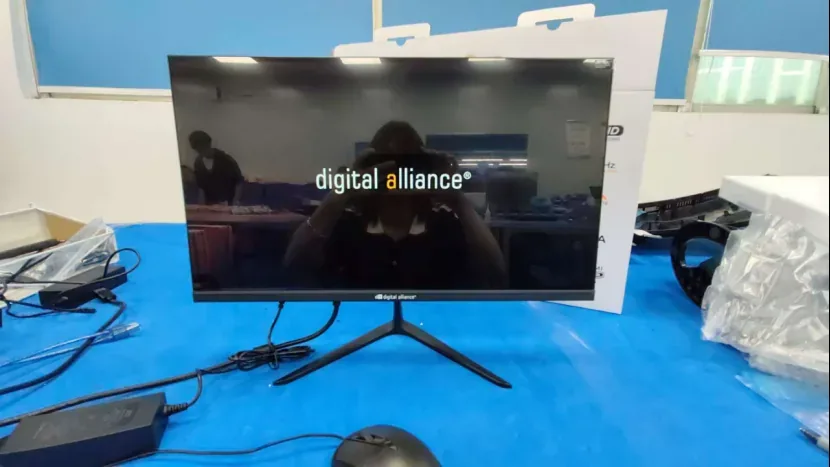
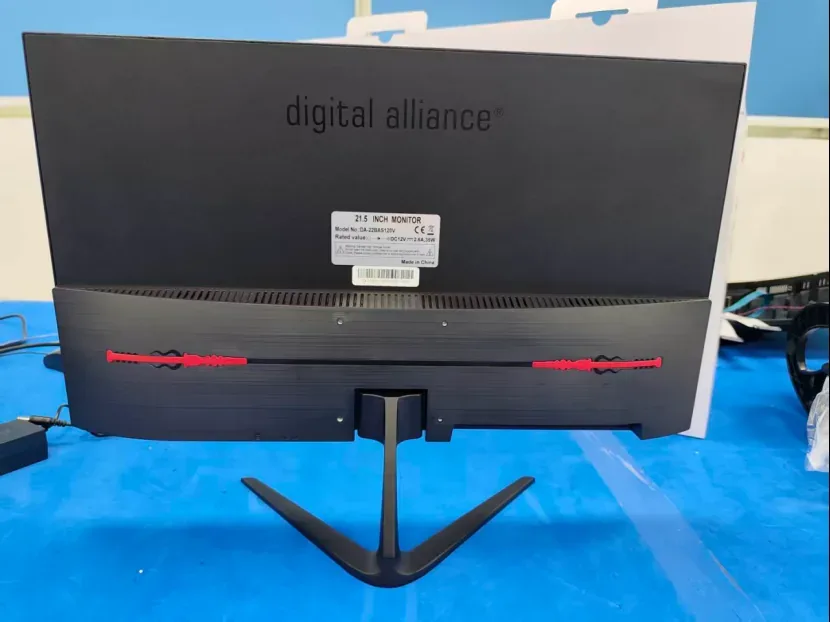
Brand identity
Apply one approved brand system to the front frame, startup screen and rear housing. Each position needs its own size, placement and production proof.
01
Front bezel logo
Confirm size, position, color and contrast on the actual bezel. The printing method depends on its material, finish and durability requirement.
02
BIOS and boot-up logo
The startup image is written into compatible controller-board firmware. We verify its format, scale, centering and appearance on a working sample.
03
Rear housing logo
The rear mark may use printing or a badge. Placement must avoid vents, screws, stand hardware and the rating label.
Artwork to prepare
Send an AI, PDF or SVG master with outlined fonts, approved colors and a monochrome version. A high-resolution PNG or BMP may also be needed for the boot logo.
Rating label and serial-number customization
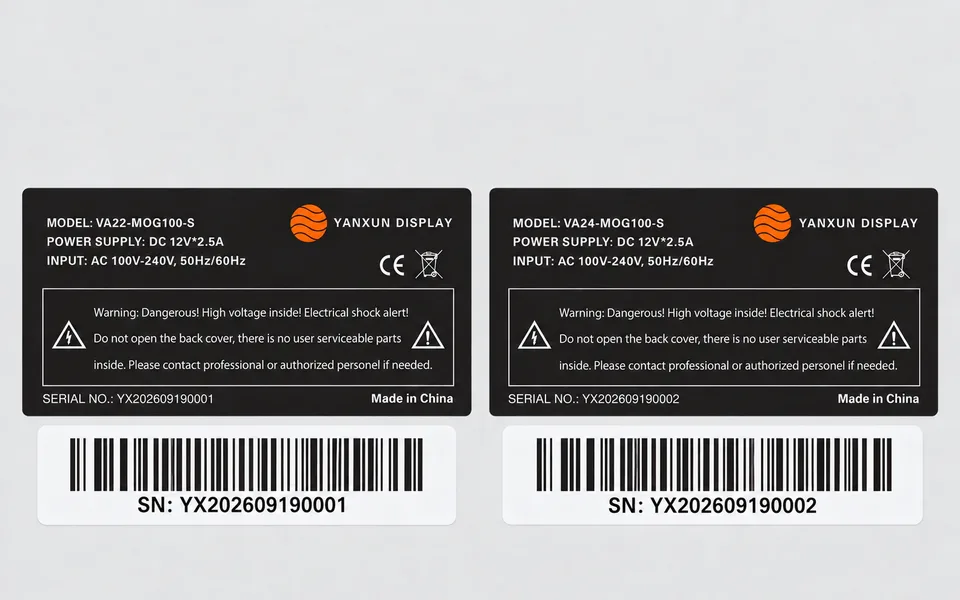
Identification and compliance
The rear label links each monitor to its approved model, electrical data and destination market. Serial-number and barcode rules can also support warehouse, warranty and after-sales systems.
- Model and electrical information
- Serial-number and barcode format
- Country of origin and responsible party
- Approved compliance symbols
All values and marks must match the final specification and verified market requirements before printing.
Choose packaging for the way the monitor will be sold
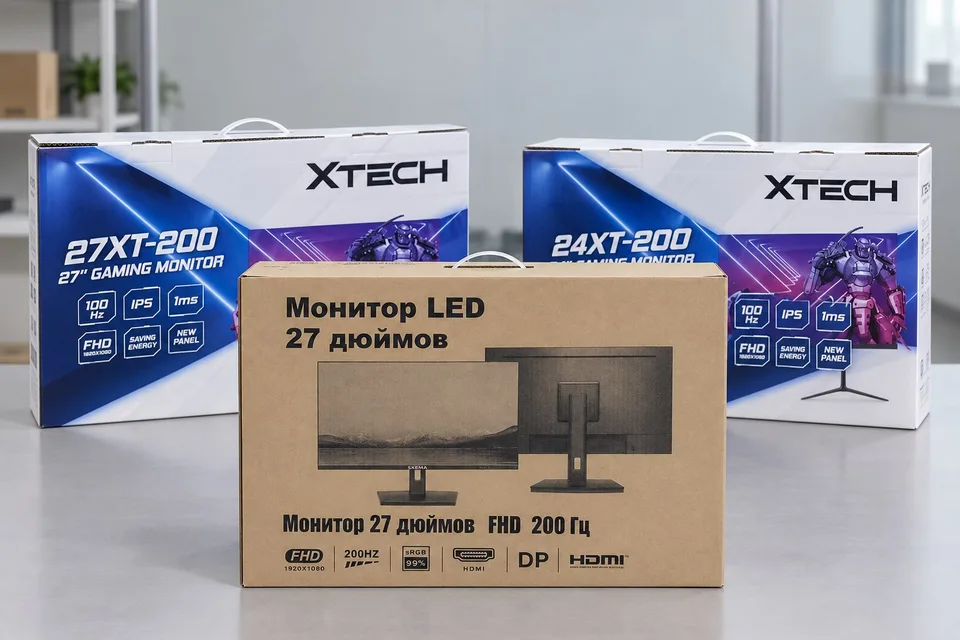
Retail and transport protection
Select packaging for the sales channel and transport route. Both retail color boxes and plain cartons must protect the panel, stand and accessories.
Printed color box
Best for retail presentation. Confirm branding, specifications, feature claims, barcode area and languages before printing.
Plain corrugated carton
A cost-efficient option for distributors and project deliveries. Add simple printing, labels or shipping marks as required.
Approve artwork, carton dimensions, internal protection, accessory placement and shipping marks before the full run.
Parts, accessories and the correct power plug
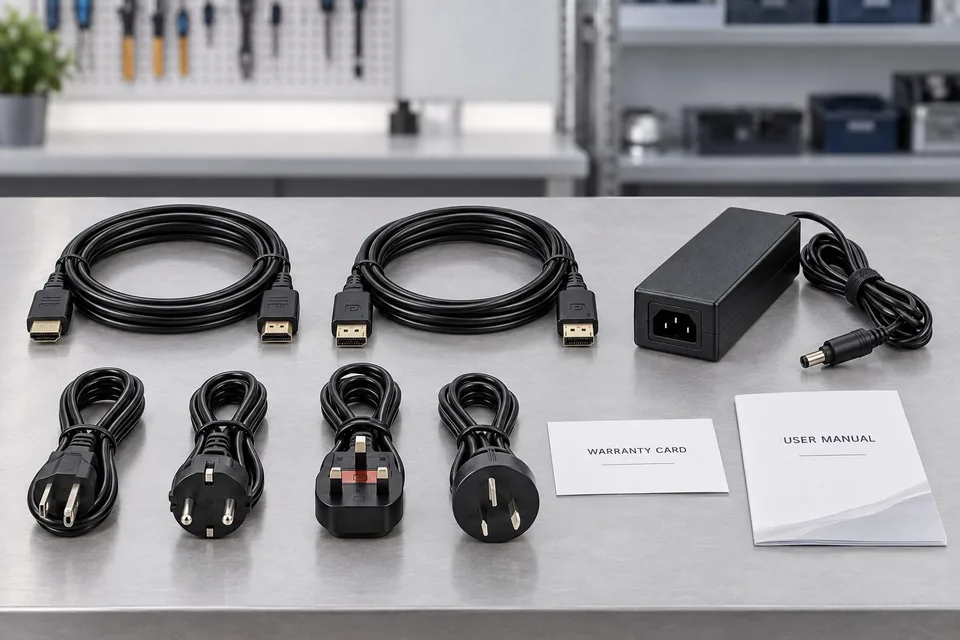
Bill of materials
Define the accessory pack by country and sales channel. Confirm the power-cord standard, plug, cable rating, adapter output and DC polarity—not only whether the plug fits.
Common accessory choices
- Regional power cord and adapter
- HDMI, DisplayPort or USB cable
- Stand, screws and VESA hardware
- Manual and warranty card
List every item in the approved bill of materials so packing inspection can verify the complete set.
Technical and mechanical options
Beyond branding
For deeper customization, convert the sales requirement into measurable hardware, firmware and mechanical specifications.
Panel and image performance
Panel type, size, resolution, refresh rate, brightness and response mode must work as one compatible platform.
Controller board and interfaces
Ports, audio, USB-C and speakers depend on the board, power design, firmware and enclosure openings.
Housing and stand
Review color, finish, stand adjustment and VESA mounting against the selected housing. New tooling is quoted separately.
Firmware and OSD
Boot logo, languages, default modes and menus depend on the controller firmware and require sample approval.
Monitor mainboard customization
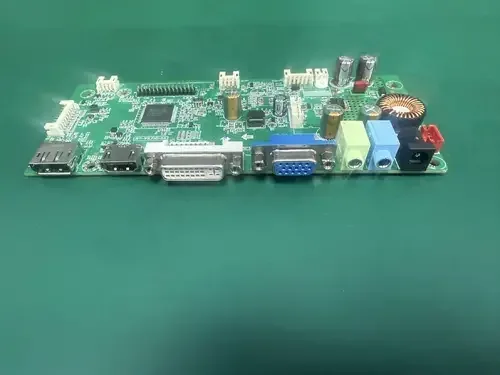
Customer project example
A Kazakhstan tender required DVI on a 24-inch monitor. We configured one board with legacy and current connections while retaining DisplayPort operation up to 165Hz on the approved platform.
- DVI, HDMI, VGA and DisplayPort
- Audio output and speaker support
- DisplayPort up to 165Hz
The customized interface combination met the specification, and the customer ultimately won the tender.
A controlled OEM monitor customization process
From brief to shipment
Use one controlled approval path to keep technical, artwork and commercial decisions aligned.
- 1. Requirement review Share the market, application, specifications, quantity, budget, packaging and schedule.
- 2. Platform and option proposal We match the request to a panel, board, enclosure, stand and accessory platform.
- 3. Specification and quotation confirmation Confirm the specification, bill of materials, included options and commercial terms.
- 4. Artwork and data collection Provide logos, label data, barcode rules, packaging artwork and manual languages.
- 5. Sample build and review Review function, appearance, firmware, branding, labels, accessories and packaging.
- 6. Production preparation Release approved materials, artwork, inspection criteria and packing instructions.
- 7. Production and quality inspection Assemble, program, test, inspect and pack against the approved specification.
- 8. Shipment and document handover Check carton marks, packing documents and requested quality records before shipment.
Quality checks for a customized monitor
Consistency
Inspection must verify both monitor performance and every approved brand-specific detail.
Functional checks
Power, boot logo, resolution, refresh rate, inputs, audio, buttons and OSD.
Display checks
Panel condition, visible defects, backlight and agreed image-performance criteria.
Appearance checks
Housing, stand, logo position, print quality, color and label placement.
Packing checks
Accessories, plugs, manuals, protection, carton artwork, barcode and shipping marks.
For third-party inspection, agree the checklist, sampling level and pass/fail criteria before production.
Information to send for a faster quotation
Prepare an inquiry
Send the following information so we can shortlist suitable platforms and identify engineering work early.
Product: size, resolution, refresh rate, panel and intended use.
Functions: ports, speakers, USB-C, stand, VESA and OSD.
Market: countries, languages, power plug and compliance needs.
Branding: product logos, boot logo, model name and colors.
Packaging: carton type, barcode, manual, warranty card and marks.
Commercial plan: sample, order quantity, target price and delivery date.
Use editable artwork or vector logos with outlined fonts instead of screenshots.
OEM monitor customization FAQ
Frequently asked questions
Tell us what your market needs
Start with a clear brief
Send the specification, destination, quantity, brand files and packaging preference for review.
What is the minimum order quantity for a customized monitor?+
MOQ depends on the platform and customization level. Branding and packaging normally require less volume than new tooling.
Can I start with an existing monitor model and add my brand?+
Yes. An established platform is usually the fastest route for logos, firmware, labels, packaging and accessories.
Can the boot logo and OSD be customized?+
Yes, on compatible controller firmware. Available OSD changes must be confirmed for the selected board.
Which logo files should I send?+
Send AI, PDF or SVG artwork with outlined fonts, color references and a monochrome version.
Is a color box always necessary?+
No. Plain cartons suit many distributor and project orders, provided the internal protection matches the product and route.
How do I choose the correct power cord?+
Confirm the destination country, plug standard, rating, length, approvals, adapter and DC connection.
How long does a customization project take?+
Lead time depends on platform availability, artwork, sample revisions, firmware, tooling and testing. We schedule after scope approval.