
How Do You Measure Computer Monitor Screen Size?
Measure computer monitor screen size with our free calculator. Enter diagonal, width or height to calculate monitor dimensions in inches and centimeters.
- Width
- 59.77 cm
- Height
- 33.62 cm
- Diagonal
- 68.58 cm
Free monitor dimension tool
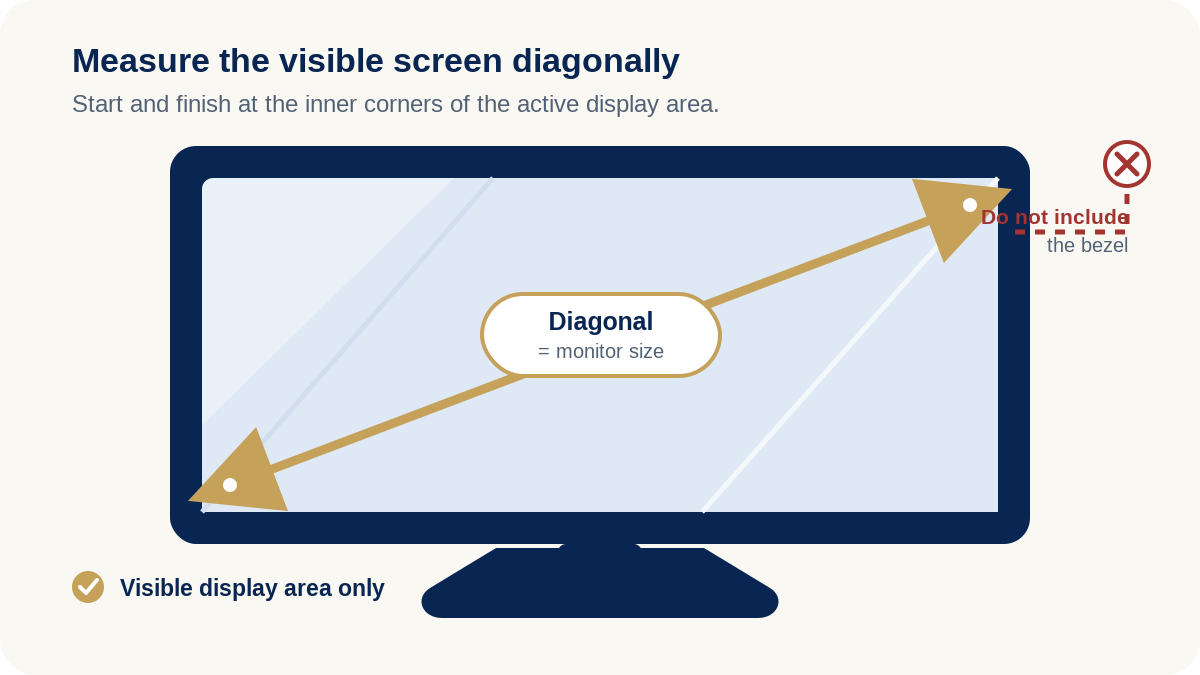
Computer monitor size is measured diagonally across the visible screen area, from one corner to the opposite corner. Do not include the monitor bezel or frame.
Use the calculator below to calculate the width, height and diagonal size of your monitor.
More display utilities
More Free Monitor Test Tools
Dead Pixel Test
Check for dead, stuck and abnormal pixels.
Refresh Rate Test
Estimate display refresh rate and browser FPS.
Backlight Bleed Test
Inspect dark screens for edge glow and uneven lighting.
Color Test Screen
Inspect solid colors, gradients and panel uniformity.
Monitor Ghosting Test
Check motion trails, smearing and response behavior.
Monitor EDID Reader
Decode monitor identity, timings and declared capabilities.
EDID Generator
Create, validate and download a monitor EDID BIN file.
Enter any one dimension
Monitor Size Calculator
Calculations stay in this browser and are not sent to a server.
59.77 cm × 33.62 cm
Proportional illustration only; it does not show true physical size.
| Item | Details |
| Diagonal | 27.00 in 68.58 cm |
| Width | 23.53 in 59.77 cm |
| Height | 13.24 in 33.62 cm |
| Aspect ratio | 16:9 |
Resolution and viewing distance
Monitor PPI and Viewing-Distance PPD
Enter the monitor's native panel resolution to estimate pixel density. PPI describes how tightly pixels are packed on the screen, while PPD estimates how many horizontal pixels fit within one degree of your view at the entered distance.
| Item | Details |
| Pixel density | 108.79 PPI |
| Pixel pitch | 0.233 mm |
| Estimated horizontal PPD | 48.34 PPD |
| Horizontal field of view | 52.96° |
PPD depends on viewing distance. This is an average horizontal estimate, not a hardware specification or visual-acuity diagnosis. It assumes a flat active display, square pixels and a centered viewer; curved screens or off-center viewing can produce different results.
Compare physical screen areas
Compare Monitor Sizes
Compare two diagonal sizes using the same physical scale. Side by Side makes the width difference clear; Overlay helps compare screen height.
59.77 × 33.62 cm
79.38 × 34.02 cm
Visible-screen estimate
Will This Monitor Fit My Desk?
This calculation is based on the visible screen area only. Actual monitor width may be larger because bezels, housing and stand dimensions vary by model.
Calibrated browser scale
On Screen Ruler
A browser CSS inch is not guaranteed to match a physical inch. Calibrate this ruler before measuring; Windows or macOS scaling, browser zoom, device pixel ratio and display DPI can all change its apparent size.
Calibrate Your Screen Ruler
Place a standard bank or credit card against the screen and adjust the slider until the on-screen card matches the physical card width. Use only the card as a size reference—do not enter any card information.
Only the anonymous scale factor is saved in this browser.
How Is Computer Monitor Screen Size Measured?
The advertised size of a computer monitor is the diagonal distance across its active display area. Measure from one visible corner to the opposite visible corner, keeping the tape straight across the panel. The number is normally stated in inches, even in markets that use metric measurements for most products. This diagonal tells you the broad size class, but it does not tell you the exact width or height by itself. A monitor size calculator also needs the aspect ratio because a wide 21:9 screen and a 16:9 screen can have the same diagonal while using very different proportions.
Does Monitor Size Include the Bezel?
No. The nominal monitor size normally refers to the diagonal of the active, visible screen—not the outer frame, casing, controls or stand. A product described as 27 inches can therefore have a wider overall body than the calculated screen width. Bezels may be very slim or comparatively thick, and curved housings, rear covers and stands add further space. If you need to fit a monitor into furniture or a multi-screen installation, use the manufacturer's complete product dimensions rather than relying only on the screen diagonal.
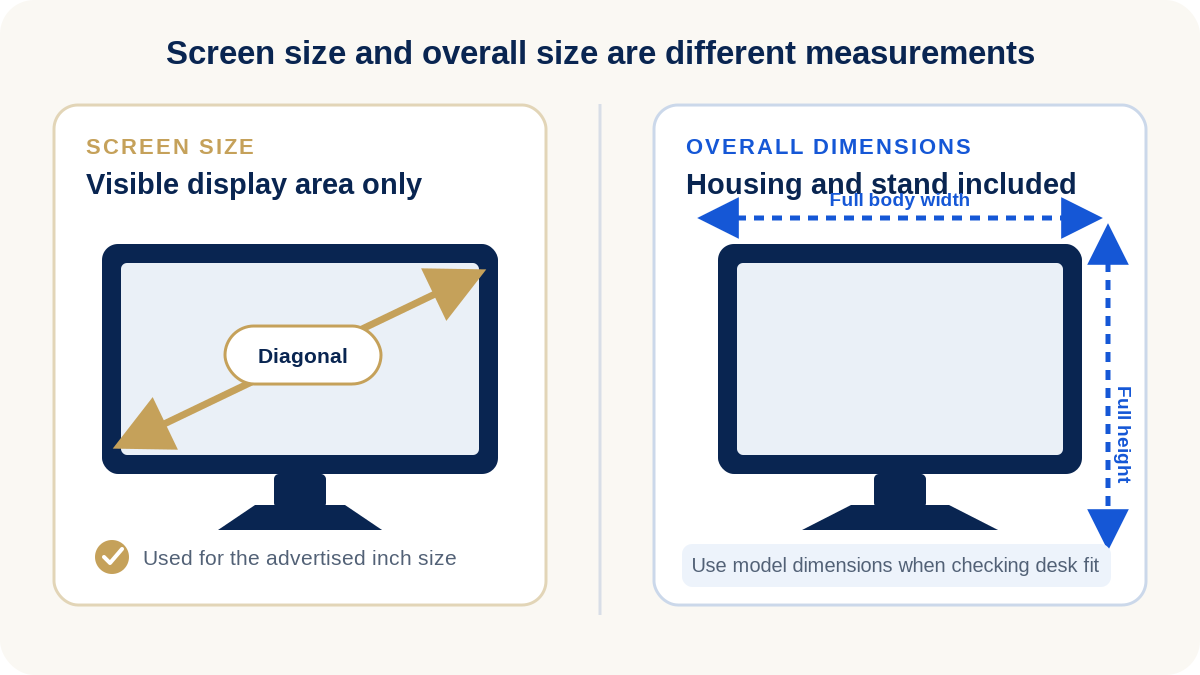
How to Measure a Monitor With a Tape Measure
- Identify the edges of the visible display area.
- Measure diagonally from one visible corner to the opposite corner.
- Do not include the bezel or frame.
- If the result is in centimeters, calculate inches as centimeters ÷ 2.54 .
Keep the tape flat and avoid pressing it against the panel. For a curved monitor, the marketed diagonal is still a straight-line screen measurement; check the product's full housing dimensions separately when planning desk space.
Why Monitor Width Depends on Aspect Ratio
Aspect ratio describes the relationship between a screen's width and height. At the same diagonal size, a higher width-to-height ratio produces a wider, shorter display. For example, a 34-inch 21:9 ultrawide is much wider than a hypothetical 34-inch 16:9 screen, while its height may be closer to a smaller conventional monitor. That is why diagonal size alone cannot tell you whether a screen will fit a workspace. The calculator asks for an aspect ratio so it can derive useful width and height estimates for standard, ultrawide and super-ultrawide displays.
For current product examples, compare a 24 inch office monitor , a 27 inch monitor , a 32 inch monitor and a 34 inch curved ultrawide monitor . Product pages provide the model-specific information that a screen-only calculation cannot supply.
Common Computer Monitor Sizes
| Monitor Size | Typical Aspect Ratio | Approx Width | Approx Height |
Actual product dimensions may vary because monitor bezels and housing differ between models.
Common questions
Monitor Size FAQ
For distributors and brands
Planning Monitor Sizes for an OEM Project?
HeCai Computer manufactures gaming and office monitors for OEM and wholesale projects. Screen size, aspect ratio, panel specification and complete product dimensions can be reviewed according to project requirements.
How do you measure computer monitor screen size?+
Measure diagonally across the visible display area from one corner to the opposite corner. Do not include the bezel or outer frame.
Is a 27 inch monitor 27 inches wide?+
No. The 27-inch measurement is diagonal. A typical 16:9 screen is approximately 23.53 inches, or 59.77 cm, wide.
Does monitor size include the frame?+
No. The nominal size normally refers to the visible screen diagonal, not the bezel, housing or stand.
How do I measure monitor size in centimeters?+
Measure the visible screen diagonally in centimeters. To convert that measurement to inches, divide it by 2.54.
Why are two monitors with the same inch size different widths?+
Different aspect ratios distribute the same diagonal across different widths and heights. A wider ratio produces a wider, shorter screen.