Skip to content

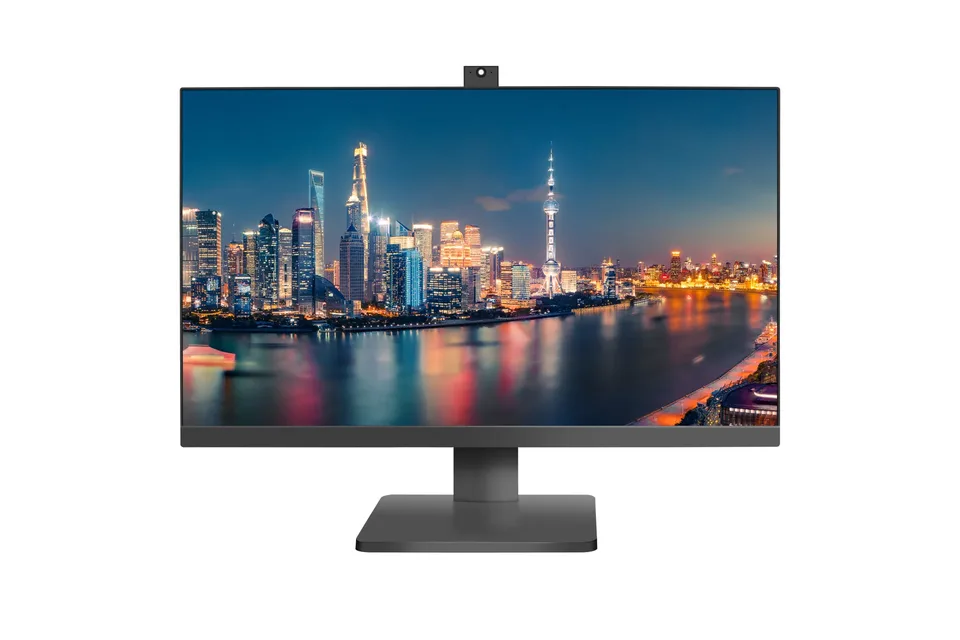
27-inch Gaming Display with Webcam Option | MGY27UA003

SKU: MGY27UA003

A 27-inch platform for gaming and online communication, with an integrated webcam option and configurable panel, refresh and bracket choices.

series
CM
monitor type
gaming monitors
screen size
27 inch
resolution
FHD/QHD/UHD
panel type
VA/IPS
panel brand
HKC/CSOT/BOE
brightness
250cd/m²-300cd/m²
HDR
250-300
refresh rate
FHD: 100Hz, 144Hz, 180Hz, 240Hz, 320Hz, 360Hz; QHD: 100Hz, 180Hz, 240Hz; UHD: 100Hz, 144Hz
bracket type
plastic adjustable bracket/ plastic fixed bracket
interface
HDMI, VGA, DP, Audio
sRGB
99%
VESA
100mm*100mm
bezel
bezel-less
response time
IPS 1ms/ VA 5ms
body color
black
aspect ratio
16:9
Request a quote →

Choosing this configuration

27-inch Gaming Display with Webcam Option | MGY27UA003

Plan a screen for play and conversation

MGY27UA003 is an option to evaluate when a desktop is used for games and regular video conversations. The integrated webcam treatment can simplify the visible setup. Confirm the offered camera module and how it connects to the host computer before choosing the configuration.

Check framing at the installed screen position

The webcam position moves when the monitor is tilted or raised. Test the image with the screen set to the height the user needs, not just the height that gives the best camera angle. Review the field of view and low-light result with the intended software.

Keep video capture and display timing separate

A high-refresh display mode does not define webcam capture quality. Specify the camera resolution, capture behavior and required connections independently from the FHD, QHD or UHD panel choice. This makes the finished product easier to describe accurately to customers.

Ordering and customization

Frequently Asked Questions

Key information about samples, production, customization, shipment and payment for OEM monitor orders.

How should the webcam be checked with an adjustable stand?+

Place the screen at the correct working height first, then check camera framing and room-light performance. A camera angle that works only when MGY27UA003 is at an uncomfortable screen position is not a complete workstation solution.

Buying & Export Checklist

For MGY27UA003, ask for a written quotation covering the exact configuration and destination. The following items are a quotation checklist, not a promise of availability or certification.

Minimum order & samples
MOQ: 2 units. Confirm sample cost and approval requirements separately.
Production & delivery schedule
Lead time: 5–15 days, depending on order quantity. Confirm the schedule start condition and dispatch date in your quotation; transit time is quoted separately.
Warranty & acceptance
Warranty: 1 year. Confirm coverage, pixel-defect policy, inspection criteria, DOA handling, RMA procedure and responsibility for return freight in writing.
Shipping & commercial terms
Provide your country, postal code and quantity. Request the Incoterm and named place, packaging dimensions, freight scope, payment terms and quote validity.
Destination-specific compliance
Request applicable documents for the exact model, power adapter and destination. For EU/EEA or US orders, confirm relevant declarations and test reports; do not assume every variant has CE, FCC or other approvals.
Configuration & compatibility
Confirm ports, supported modes, power supply, plugs, mounting and accessories. For an AIO PC, also confirm CPU, memory, storage, OS licensing and driver support.
Model-specific test evidence
Request available test records for MGY27UA003 and the ordered configuration. Check the model identifier, test date, test conditions, measured results and issuing party. Product specifications and generic standards links are not model-specific test evidence.

Request model-specific purchasing information →