
Setting Up an Adjustable Desk and Monitor Stand Together
Use a step-by-step workstation setup to coordinate desk height, screen position and cable clearance without assuming one posture fits every user.
2026-09-26T16:00:00+00:00
Published by HeCai Computer. Contact us about a correction or model-specific question.
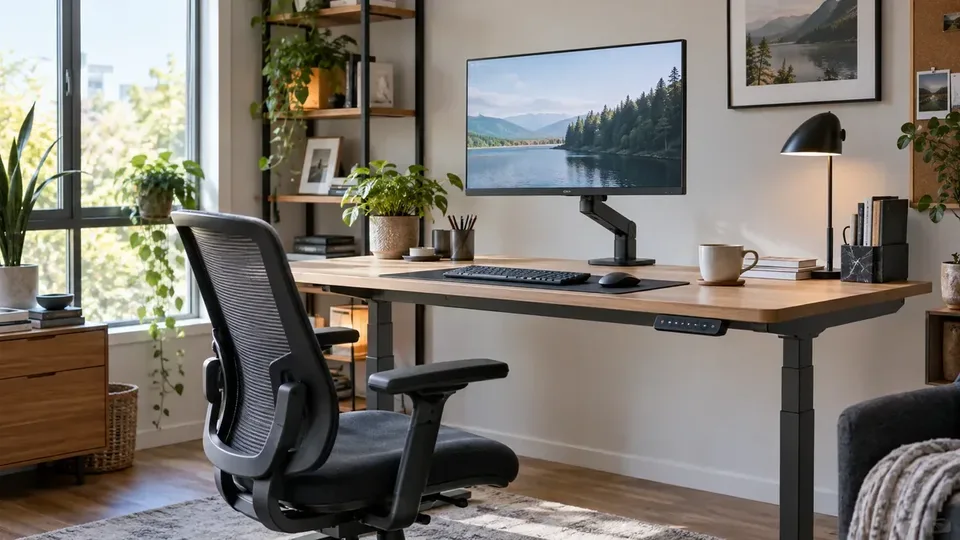
An adjustable desk moves the keyboard, mouse and screen together. A monitor stand changes the screen position relative to those input devices. They solve different problems, so the most useful setup sequence begins with how the user reaches the controls, then adjusts the display to suit that working position.
Set the work surface before the screen
Begin with a comfortable seated or standing position, shoulders relaxed and the keyboard and mouse within easy reach. Adjust the desk or chair so the user does not need to raise the shoulders to type. A monitor positioned well above an unsuitable keyboard height does not resolve the underlying workstation arrangement.
Bring the screen into a comfortable line of sight
Place the main display in front of the task, then adjust its height, tilt and distance while reading normal-size text. Many users prefer the upper part of the screen around or below eye level, but glasses, task type and individual needs can change the best position. Use comfort and readability rather than a fixed measurement as the final check.
Check sitting and standing as separate setups
After raising the desk, check the screen again instead of assuming the seated relationship will remain ideal. The monitor must also clear shelves, walls and nearby displays throughout the desk's travel. Do not raise a desk while a stand arm is resting against a fixed object.
- Confirm the stand or arm supports the monitor's actual weight and size.
- Verify the mount pattern, screw requirements and desk-clamp compatibility.
- Check whether the arm can reach the needed height without being fully extended.
- Allow enough cable slack for both desk movement and screen adjustment.
Use text scaling before leaning forward
If the user must move close to read, increasing text size or application scaling may help more than moving a large screen to the edge of the desk. Test the software used for the longest sessions. A comfortable distance depends on screen size, vision and the task, so avoid prescribing the same distance for every person.
Recheck the setup during real work
Try a document, a video call and any task requiring reference material. Shared desks should be easy to reset between users. Alternate positions and take movement breaks according to personal needs; a height-adjustable desk does not make one static posture ideal for an entire day.
This is general workstation guidance, not medical advice. Persistent discomfort, a specific accessibility requirement or a clinical condition calls for an individual assessment from an appropriate professional.
Apply This Guide to Your Purchasing Project
- Compare relevant models
Compare published specifications before choosing a configuration for sampling.
- Plan an OEM project
Discuss artwork, housing, connections and the sample approval process.
- Prepare a wholesale inquiry
State your destination, quantities, schedule and model requirements for a written quotation.
Technical Standards & Further Reading
Use the official standards below when evaluating a display specification. Product support and certification must be confirmed for the exact model and configuration.