
Choosing a Monitor Privacy Filter for a Shared Workspace
Check filter dimensions, viewing direction, orientation and readability when selecting a monitor privacy screen for shared or public workspaces.
2026-09-26T16:00:00+00:00
Published by HeCai Computer. Contact us about a correction or model-specific question.
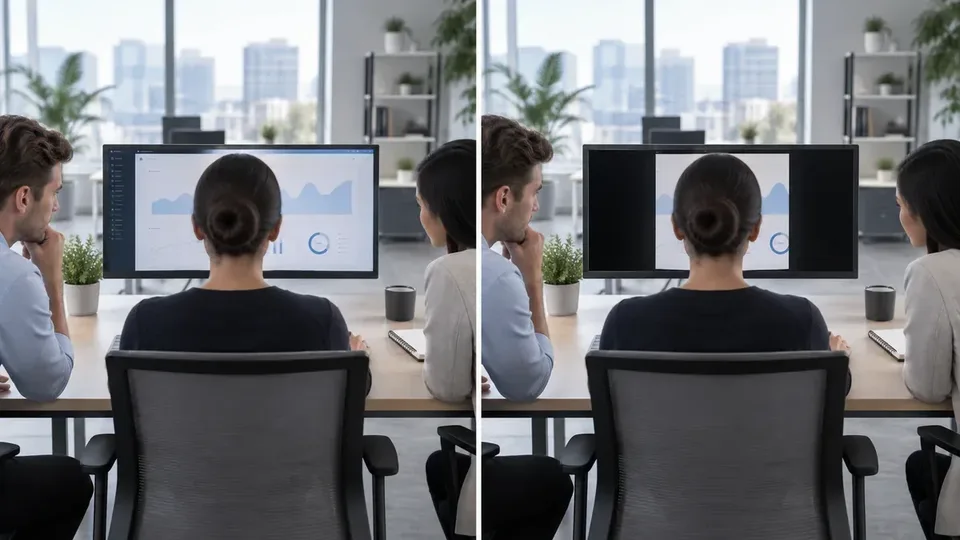
A privacy filter reduces how easily someone beside the user can read a screen. It is a physical accessory, not a replacement for access control or careful screen positioning. Its usefulness depends on the actual viewing direction, display orientation and the information being shown.
How directional filtering helps
Many filters use a fine directional structure that passes more light toward the person directly in front and less toward side positions. The result is usually a darker or less readable image from the sides. A stated viewing angle depends on the product and test conditions; it should not be treated as a sharp boundary beyond which every detail becomes invisible.
Measure the visible area
A screen size such as 27 inches is not enough to order a filter. Measure the active display width and height, confirm the aspect ratio and check the supplier's fitting method. A filter designed for a flat screen may not attach appropriately to a curved model. Bezels, touch functions and camera positions can also affect installation.
Check which directions are protected
A two-way filter intended to reduce side views in landscape orientation may behave differently when the monitor is rotated. If portrait use matters, ask for a filter designed for that orientation or a suitable multi-directional product. Test from the places where another person would actually stand or sit.
- Check front-on readability with normal documents, not only a dark test image.
- Inspect side views at realistic distances and room lighting.
- Try the portrait position if the workstation uses it.
- Check reflections and brightness loss with the filter installed.
- Confirm that attachment tabs do not obstruct controls or damage the surface.
Expect an image-quality trade-off
A filter can reduce transmitted light and may affect perceived sharpness, color or reflections. Increasing brightness does not eliminate every trade-off and can make side viewing easier in some circumstances. Evaluate the complete installed combination with the settings staff can comfortably use.
Combine it with ordinary information security
Keep sensitive windows away from public sight lines, lock the workstation when leaving and limit access to confidential records. Someone behind the user or directly in front of the screen may still see the content. A physical filter provides no protection against screenshots, malware, remote access or photographs taken from a readable position.
For a workplace purchase, approve a sample at one real workstation before ordering across the office. Record the filter model, monitor dimensions and orientation so later installations use the same tested combination.
Apply This Guide to Your Purchasing Project
- Compare relevant models
Compare published specifications before choosing a configuration for sampling.
- Plan an OEM project
Discuss artwork, housing, connections and the sample approval process.
- Prepare a wholesale inquiry
State your destination, quantities, schedule and model requirements for a written quotation.