
Checking Monitor Color Gamut Claims Before Purchasing
Distinguish gamut coverage, gamut volume and color accuracy, then request measurements for the exact monitor configuration being quoted.
2026-09-27T16:00:00+00:00
Published by HeCai Computer. Contact us about a correction or model-specific question.
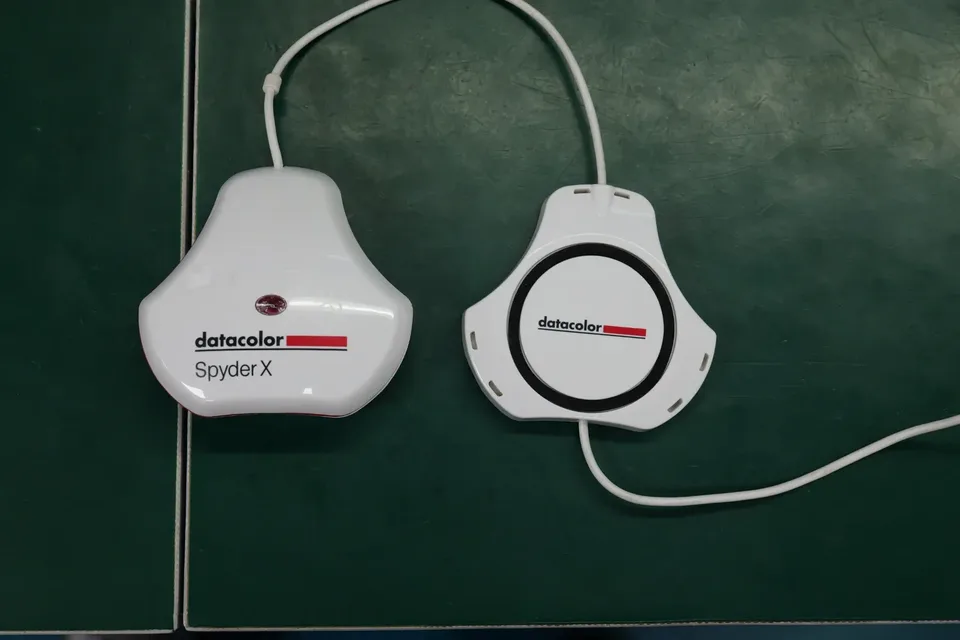
Two displays described as 100% sRGB can behave differently. One figure may describe coverage, another volume, and neither tells you how accurately the display reproduces a particular color. A purchasing specification needs to identify what was measured and in which operating mode.
Ask whether the number is coverage or volume
Coverage describes the portion of a reference gamut a display can reproduce under the selected calculation. Volume describes the size of its gamut relative to a reference and can exceed 100%. A gamut extending beyond sRGB may still miss part of sRGB. Do not read a volume figure as proof of complete coverage.
Identify the reference and calculation
sRGB, DCI-P3 and Adobe RGB are different reference spaces. A report should name the reference, measurement method and calculation space rather than providing one unlabeled percentage. P3 coverage also does not establish that a monitor is using the cinema DCI white point and transfer behavior; those are separate settings.
Measure the emitted light
Test software generates patches and organizes results, while an appropriate sensor measures the screen. A colorimeter requires suitable correction for the display's spectral characteristics; a spectroradiometer has different capabilities and limitations. Record the instrument, correction and software. A colorful browser image or EDID field does not replace this measurement.
Evaluate accuracy after gamut
A wide-gamut display can oversaturate ordinary sRGB material in unmanaged applications. Check whether a usable sRGB mode is available and whether it restricts brightness or other controls. If color accuracy matters, request a report describing white point, tone response, color-error method and tested settings, not only the gamut outline.
| Claim | What it does not prove |
| Wide gamut | Accurate color in every application |
| 100% gamut volume | 100% coverage of the reference |
| Factory-calibrated sample | Identical results from every mode or later configuration |
| Color profile installed | Correct behavior in software that ignores that profile |
Approve the panel configuration, not a shared shell
A configurable monitor may use different panels or backlights in visually similar housings. Request measurements for the exact version on the quotation. Keep the report settings and sample identity with the approval record so future units can be evaluated against a meaningful reference.
Describe your color-sensitive application when requesting a sample. Web catalogue work, general gaming and print-related workflows do not all need the same gamut or validation process.
Apply This Guide to Your Purchasing Project
- Compare relevant models
Compare published specifications before choosing a configuration for sampling.
- Plan an OEM project
Discuss artwork, housing, connections and the sample approval process.
- Prepare a wholesale inquiry
State your destination, quantities, schedule and model requirements for a written quotation.
Technical Standards & Further Reading
Use the official standards below when evaluating a display specification. Product support and certification must be confirmed for the exact model and configuration.